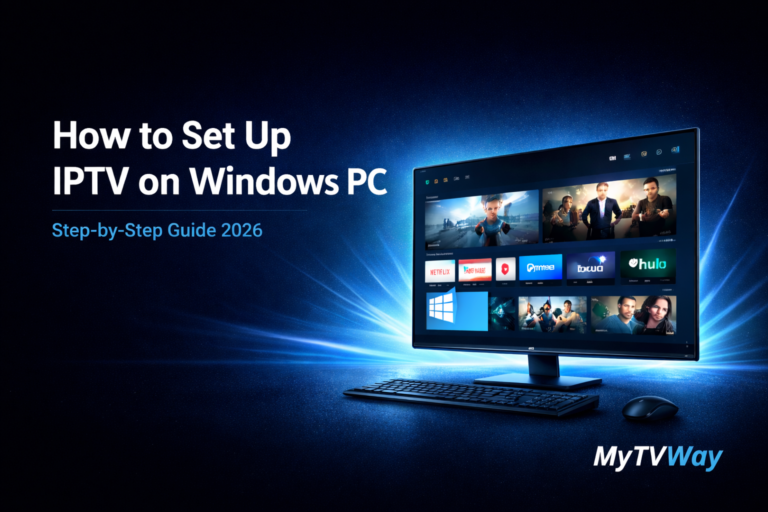
Looking for a simple IPTV Windows setup guide? You’ve come to the right place. In this complete guide, we’ll show you exactly how to install IPTV on Windows PC step by step — no technical knowledge required.
Whether you’re using a desktop or laptop, this Windows IPTV tutorial will get you streaming in minutes. If you’re looking for other devices, check our Firestick setup guide or Android setup guide instead.
IPTV Windows Setup – Complete Guide 2026
Setting up IPTV Windows is much easier than you think. Our IPTV Windows guide works on all PC models.
In this complete step-by-step guide, we’ll show you exactly how to install and configure your MyTVWay UK IPTV subscription on any Windows computer in just a few minutes. No technical experience required!
Choosing the Right IPTV Windows App
There are several IPTV Windows apps available. Here are the best ones for PC:
- IPTV Smarters Pro — Free — The most popular IPTV player with a dedicated Windows desktop app and Xtream Codes support
- VLC Media Player — Free — Open-source player that supports M3U playlists for IPTV streaming
- Kodi — Free — Powerful media centre with IPTV add-ons for advanced users
- MyIPTV Player — Free — Available from the Microsoft Store with EPG support
In this guide we will use IPTV Smarters Pro as it offers the best experience on Windows with a dedicated desktop app. All apps follow the same login method.
If you need help, contact us via WhatsApp.
What You Need Before Starting
- A Windows PC or laptop (Windows 8, 10 or 11)
- A stable internet connection (minimum 20 Mbps recommended for HD, 30+ Mbps for 4K)
- An active MyTVWay UK IPTV subscription with your login credentials (username, password and server URL)
Compatible Windows Versions
IPTV on Windows works on all modern versions including:
- Windows 11 — Full support with IPTV Smarters Pro desktop app
- Windows 10 — Full support with all IPTV players
- Windows 8 / 8.1 — Supported with IPTV Smarters Pro and VLC
Step-by-Step: IPTV Windows Installation Guide
Step 1 — Download IPTV Smarters Pro for Windows
Open your browser and visit the official IPTV Smarters Pro website. Navigate to the Downloads section and click the Windows download button.
The download will start automatically. The file size is approximately 80MB so it should complete in under a minute on most connections.
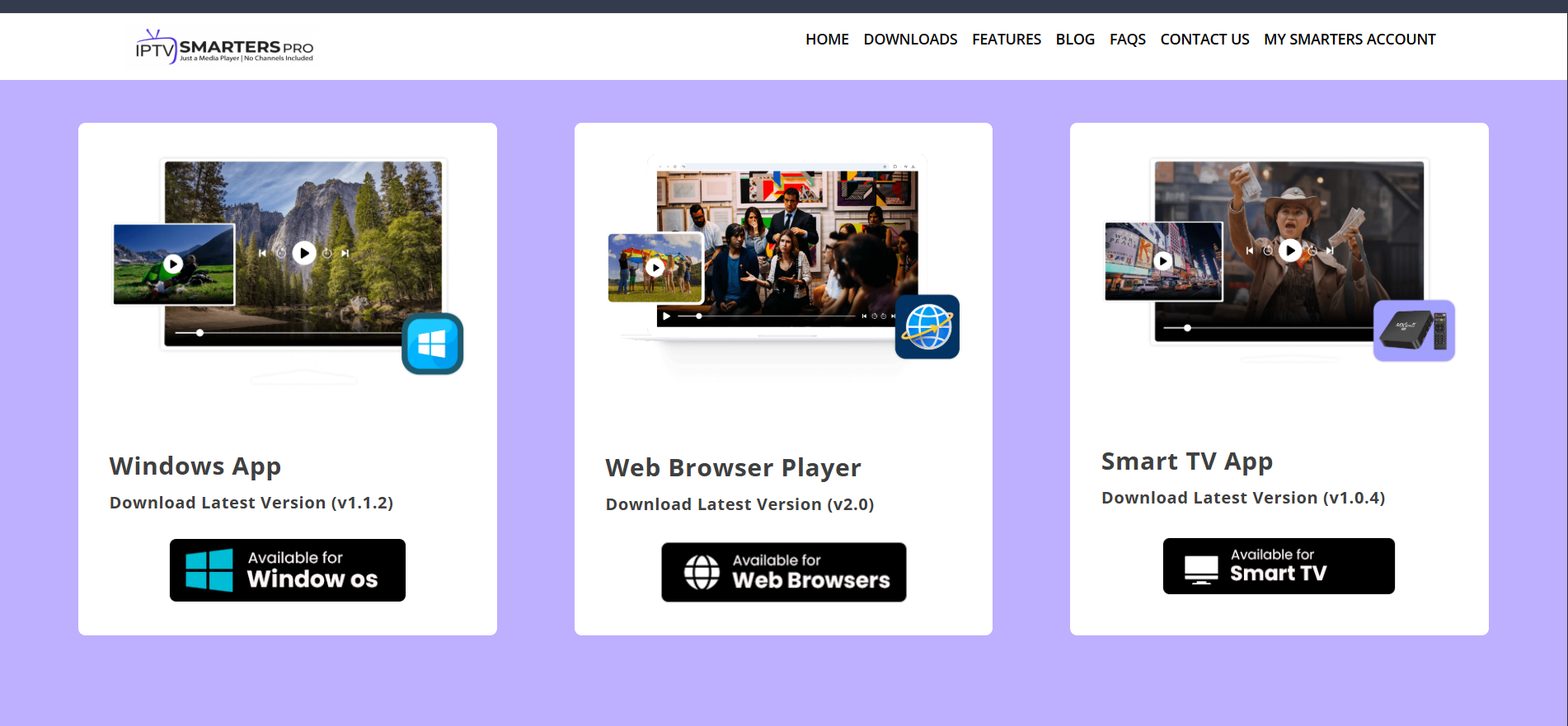
Step 2 — Run the Installation File
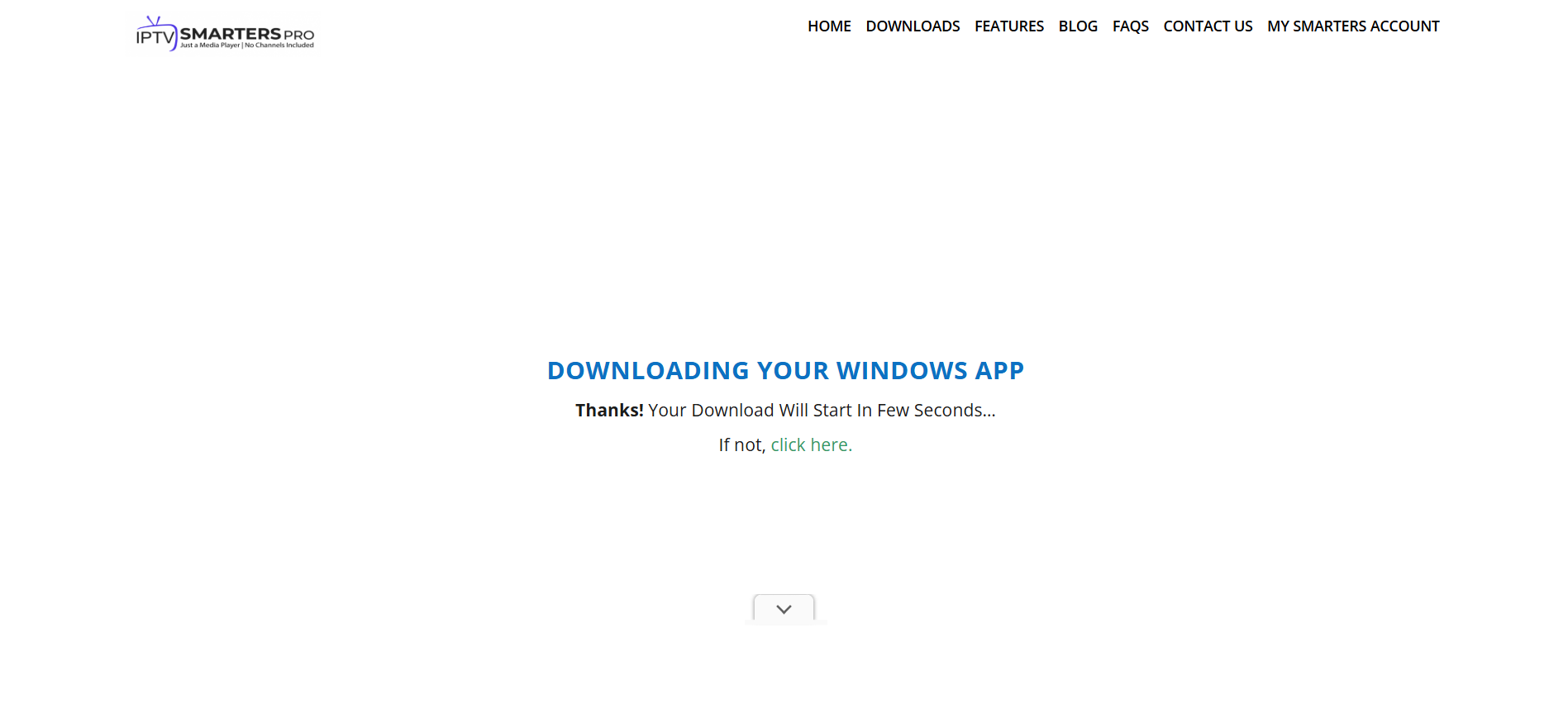
Once the download is complete, locate the file in your Downloads folder. Double-click the installer file to start the installation process.
If Windows SmartScreen shows a warning, click “More info” then “Run anyway” — the app is completely safe to install.
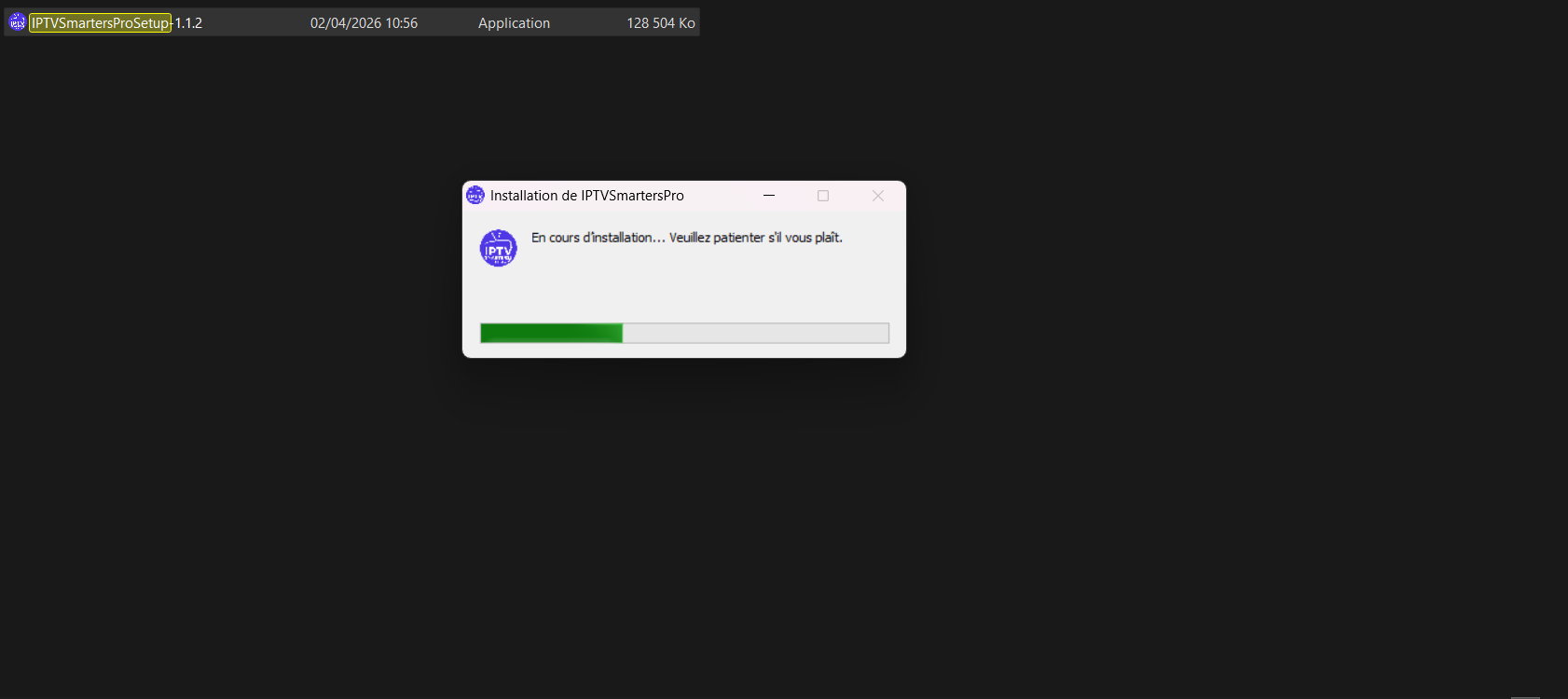
Step 3 — Wait for Installation to Complete
The installer will process and install IPTV Smarters Pro on your Windows PC. This usually takes less than a minute.
Once the installation is complete, the app will be ready to launch from your desktop or Start menu.
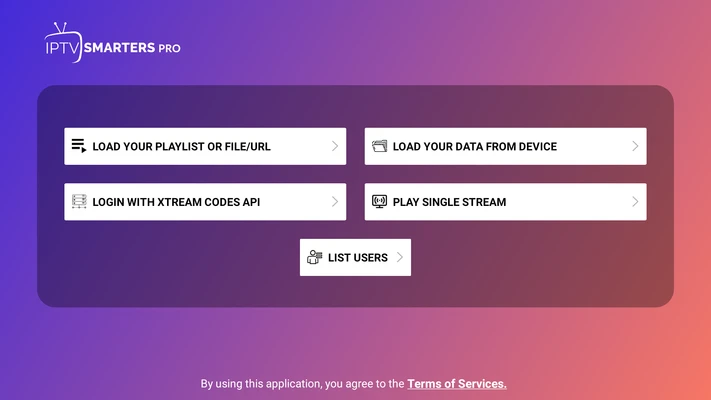
Step 4 — Choose Login with Xtream Codes API
Open IPTV Smarters Pro from your desktop. On the main dashboard, you’ll see different login options.
Select “Login with Xtream Codes API” — this is the easiest and most reliable method for connecting your MyTVWay subscription.
Step 5 — Enter Your MyTVWay Credentials
Enter your MyTVWay login details in the form:
- Any Name: Type anything you like (e.g. your name)
- Username: Found in your confirmation email or WhatsApp message
- Password: Found in your confirmation email or WhatsApp message
- Server URL: Found in your confirmation email or WhatsApp message (starts with http://)
Click “Add User” and wait for the app to connect to the MyTVWay servers.
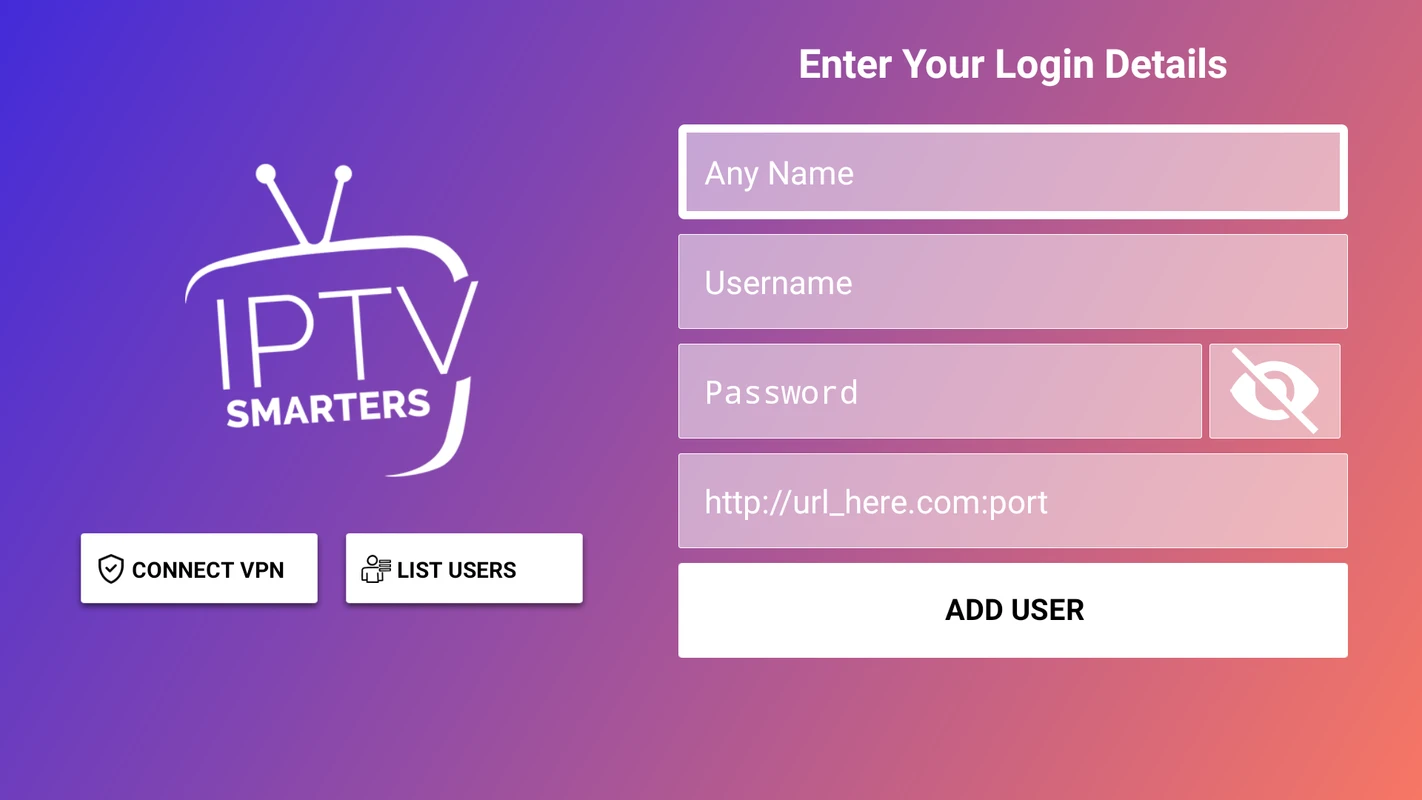
⚠️ If you see “Authorization Failed” — double check your inputs. Make sure there are no typos, extra spaces before or after your credentials, and that your VPN is turned off.
Step 6 — Save Your Playlist and Start Streaming
Once your credentials are verified, IPTV Smarters Pro will load your full channel list, movies, series and EPG guide.
You’ll see the main streaming dashboard with options for Live TV, Movies, Series, Catch-Up TV and EPG (Electronic Program Guide). Your playlist is saved automatically for next time.
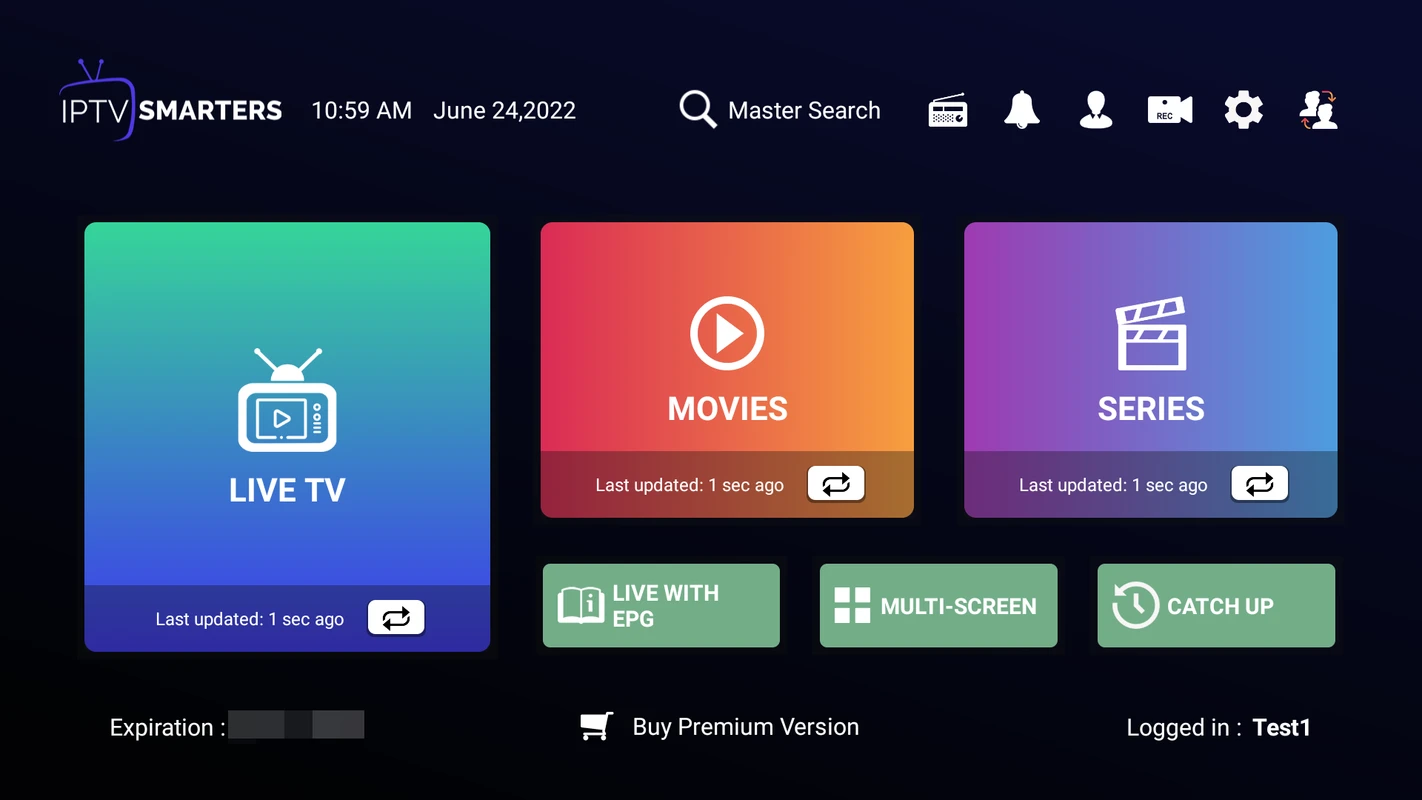
Step 7 — Start Watching Live TV
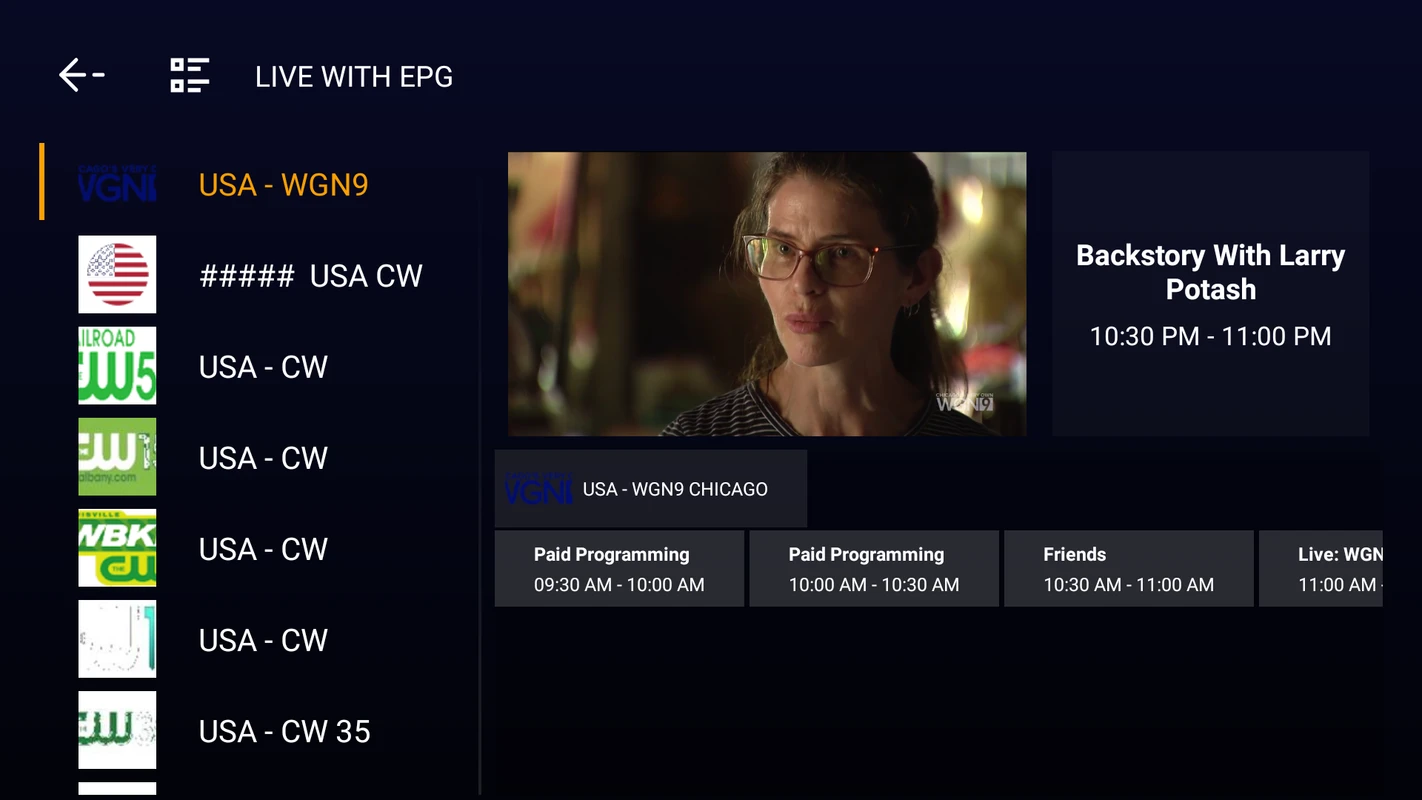
Click on “Live TV” to browse all available channels. Your channels are organized into groups — UK Channels, US Channels, Sports, Movies, Kids, News and many more.
Click on any channel to start streaming. Double-click the player window to switch to full screen mode. Enjoy crystal clear streaming in up to 4K/8K quality on your Windows PC!
🎉 You’re All Set!
Congratulations! You have successfully set up IPTV on your Windows PC. You now have access to 50,000+ live UK channels, 180,000+ movies and series in stunning 4K/8K quality with MyTVWay!
Video Tutorial — IPTV Windows Setup
Prefer to watch a video? Here’s a quick visual guide on how to set up IPTV Smarters Pro on Windows:
Troubleshooting IPTV Windows Issues
Having issues? Here are the most common problems and solutions:
- “Authorization Failed” error — Double check your username, password and server URL. Make sure there are no extra spaces and your VPN is off.
- Buffering or freezing — Ensure your internet speed is at least 20 Mbps. Try using an ethernet cable instead of Wi-Fi for a more stable connection.
- App won’t install — Right-click the installer and select “Run as Administrator”. Make sure your antivirus is not blocking the installation.
- Black screen when playing channels — Go to app Settings then Player then try switching between internal and external player (VLC).
- No sound — Check your Windows sound settings and make sure the correct output device is selected. Also try changing the audio decoder in app Settings.
Still need help? Contact our 24/7 support team via WhatsApp and we’ll guide you through every step.
Alternative IPTV Apps for Windows
While IPTV Smarters Pro is our recommended app, here are other great IPTV Windows alternatives:
- VLC Media Player — Free and open-source. Supports M3U playlists. Open VLC then go to Media then Open Network Stream and paste your M3U URL.
- Kodi — Powerful media centre with PVR IPTV Simple Client add-on for live TV, EPG and catch-up features.
- MyIPTV Player — Available from the Microsoft Store. Simple interface with EPG support and favourites.
All of these apps work with your MyTVWay UK IPTV subscription. Simply use the same login credentials or M3U URL provided after purchase.
Why Choose MyTVWay for IPTV Windows?
MyTVWay is the best UK IPTV service for IPTV Windows users. Our subscription gives you access to 50,000+ live channels, 180,000+ movies and series in 4K/8K quality.
With Anti-Freeze technology and 99.99% uptime, you’ll never experience buffering on your Windows PC again.
Our plans start from just £11.99/month with instant activation and a 7-day money back guarantee. Get your MyTVWay IPTV Windows subscription today!
Looking for setup guides for other devices? Check our UK IPTV installation guide for instructions on Firestick, Android, iPhone, Smart TV, Mac and more.
Ready to Start Streaming UK IPTV?
Get your MyTVWay subscription today — 50,000+ channels, instant activation, 7-day money back guarantee.
Get Your UK IPTV Plan from £11.99