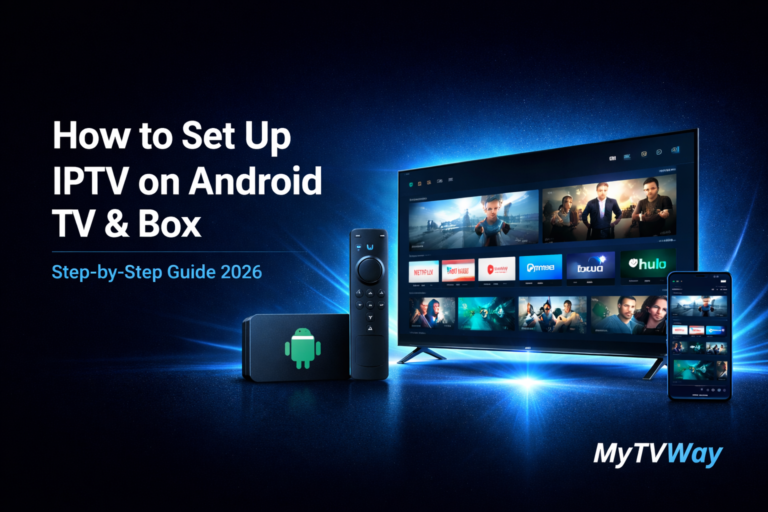
Looking for a simple IPTV Android setup guide? You’ve come to the right place. In this complete guide, we’ll show you exactly how to install IPTV on Android step by step — no technical knowledge required.
Whether you’re using a phone, tablet, Android TV box or Smart TV, this Android IPTV tutorial will get you streaming in minutes. If you already have a Firestick, check our IPTV Firestick setup guide instead.
IPTV Android Setup – Complete Guide 2026
Setting up IPTV on your Android device is much easier than you think.
In this complete step-by-step guide, we’ll show you exactly how to install and configure your MyTVWay UK IPTV subscription on any Android device in just a few minutes. No technical experience required!
Choosing the Right IPTV Android App
There are several IPTV Android apps available. Here are the best ones you can download from the Google Play Store:
- IPTV Smarters Pro — Free — The most popular IPTV player with a clean interface and Xtream Codes support
- XCIPTV — Free — Lightweight alternative with fast channel switching
- TiviMate — Paid — Premium IPTV player with advanced EPG and multi-screen support
- IBO Player Pro — Paid — Great for M3U and Xtream Codes with a modern interface
In this guide we will use IPTV Smarters Pro as it’s the most widely used and completely free. All apps follow the same login method.
If you need help, contact us via WhatsApp.
What You Need Before Starting
- An Android phone, tablet, TV box or Smart TV
- A stable internet connection (minimum 20 Mbps recommended for HD, 30+ Mbps for 4K)
- An active MyTVWay UK IPTV subscription with your login credentials
Compatible Android Devices
IPTV on Android works on virtually any Android device including:
- Android phones — Samsung Galaxy, Google Pixel, OnePlus, Xiaomi, Huawei and more
- Android tablets — Samsung Tab, Lenovo Tab, Amazon Fire tablets
- Android TV boxes — Nvidia Shield, Xiaomi Mi Box, T95, X96, HK1 and similar
- Android Smart TVs — Sony, Philips, TCL, Hisense, Xiaomi TV
Step-by-Step: IPTV Android Installation Guide
Step 1 — Download IPTV Smarters Pro
Open the Google Play Store on your Android device. Search for “IPTV Smarters Pro” or “Smarters Pro” and tap Install.
The app is free and takes less than a minute to download. Once installed, tap Open to launch the app.
If you’re using an Android TV box that doesn’t have the Play Store, you can download the APK directly from the official IPTV Smarters website or use the Downloader app with code 6421807.
Step 2 — Open the App and Enter Login Details
When you first open IPTV Smarters Pro, select “Login with Xtream Codes API”. This is the easiest and most reliable login method.
Enter your MyTVWay credentials:
- Any Name: Type anything you like (e.g. your name)
- Username: Found in your confirmation email or WhatsApp message
- Password: Found in your confirmation email or WhatsApp message
- Server URL: Found in your confirmation email or WhatsApp message (starts with http://)
Click “Add User” and wait for the channels to load.
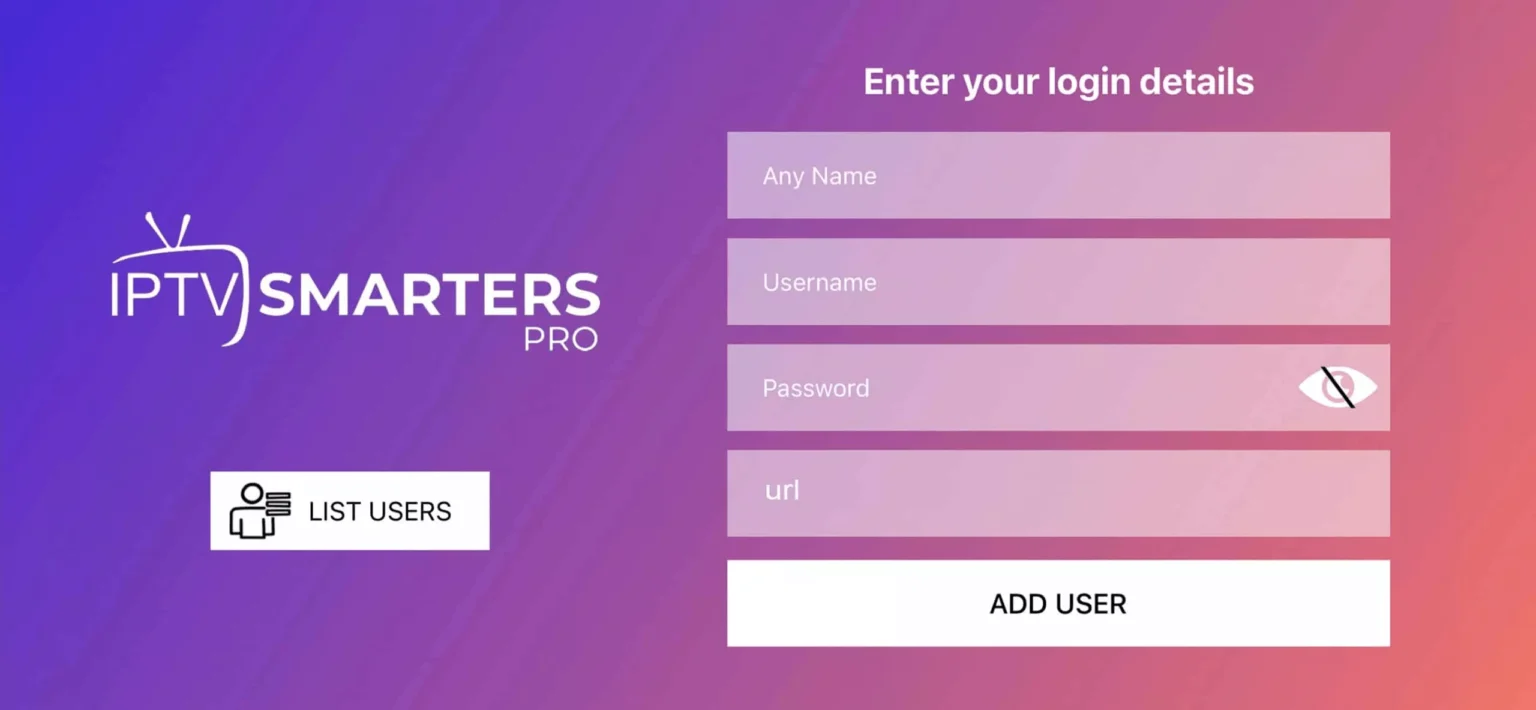
⚠️ If you see “Authorization Failed” — double check your inputs. Make sure there are no typos, spaces before or after your credentials, and that your VPN is turned off.
Step 3 — Enter Your MyTVWay Credentials and Click Add User
After entering all four fields correctly, tap the “Add User” button.
The app will connect to the MyTVWay servers and start loading your channel list, EPG guide, movies and series. This usually takes 10-30 seconds depending on your internet speed.
Step 4 — Wait for Channels to Load
Once your credentials are verified, IPTV Smarters Pro will automatically download your full channel list.
You’ll see a loading screen while the app fetches all 50,000+ live channels, 180,000+ movies and series from the MyTVWay servers. Be patient — this only happens the first time.
Step 5 — Click on the Live TV Icon
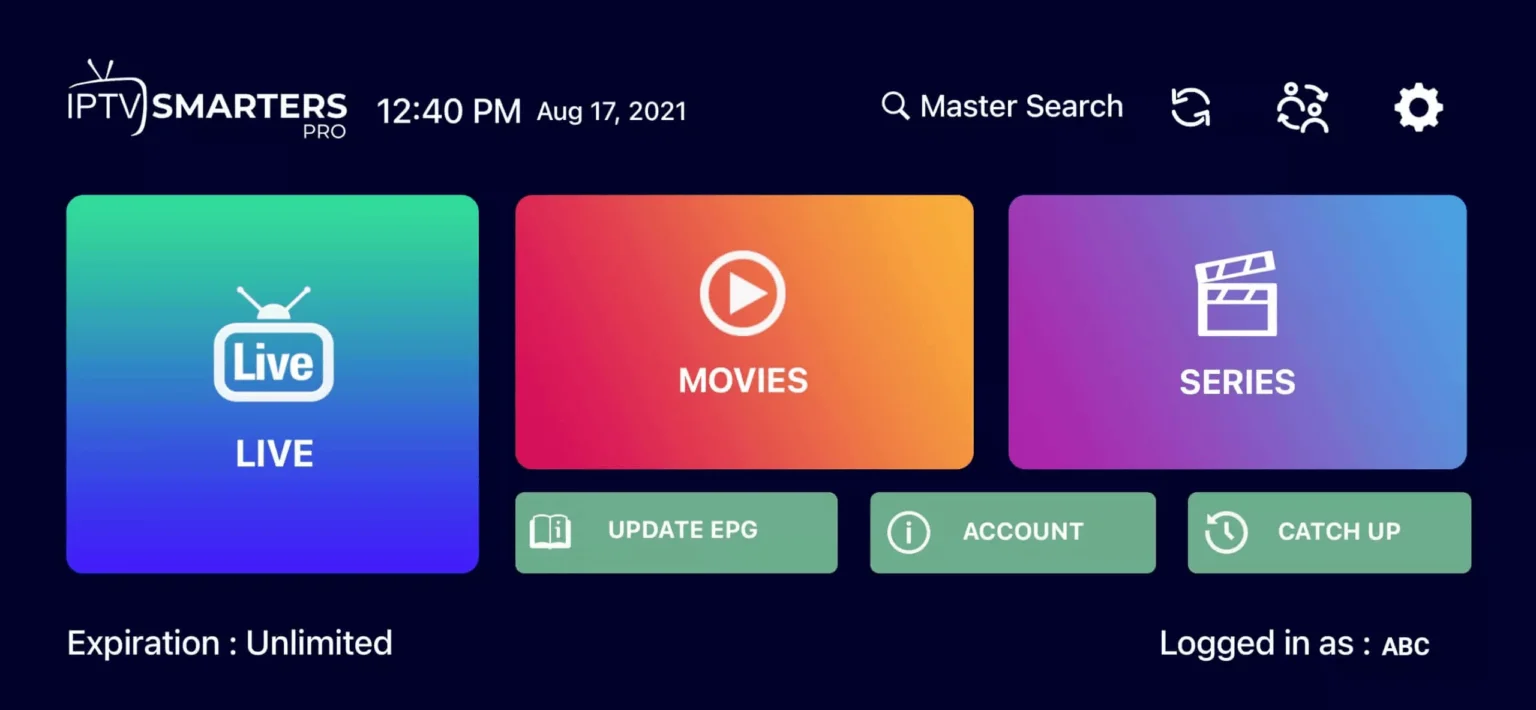
From the main dashboard, tap on the “Live TV” icon to access all live channels.
You’ll also see options for Movies, Series, Catch-Up TV and EPG (Electronic Program Guide).
Step 6 — Select a Channel Group
Your channels are organized into groups for easy browsing — UK Channels, US Channels, Sports, Movies, Kids, News, Music and many more.
Tap on any group to see the channels inside. You can also use the search icon to find a specific channel by name.
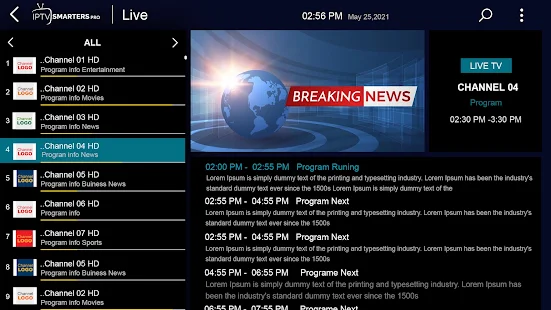
Step 7 — Watch Your Channel in Full Screen
Tap on any channel name to start streaming. The channel will play in a small window first.
Double-tap on the small screen to switch to full screen mode. You can swipe left or right to change channels, and swipe up or down to adjust the volume.
🎉 You’re All Set!
Congratulations! You have successfully set up IPTV on your Android device. You now have access to 50,000+ live UK channels, 180,000+ movies and series in stunning 4K/8K quality with MyTVWay!
Video Tutorial — IPTV Android Setup
Prefer to watch a video? Here’s a quick visual guide on how to set up IPTV Smarters Pro on Android:
Troubleshooting IPTV on Android
Having issues? Here are the most common problems and solutions:
- “Authorization Failed” error — Double check your username, password and server URL. Make sure there are no extra spaces and your VPN is off.
- Buffering or freezing — Ensure your internet speed is at least 20 Mbps. Try connecting to 5GHz Wi-Fi or use an ethernet cable on your Android TV box.
- Channels not loading — Clear the app cache in Settings then Apps then IPTV Smarters then Clear Cache and restart the app.
- No sound on some channels — Go to app Settings then Player then change audio decoder to Software.
- App crashing — Make sure you’re running the latest version of IPTV Smarters Pro from the Google Play Store.
Still need help? Contact our 24/7 support team via WhatsApp and we’ll guide you through every step.
Alternative IPTV Apps for Android
While IPTV Smarters Pro is our recommended app, here are other great IPTV Android alternatives:
- TiviMate — Best for advanced users who want full EPG customization and multi-screen support.
- XCIPTV — Lightweight and fast, perfect for older Android devices or TV boxes with limited RAM.
- IBO Player Pro — Modern interface with support for M3U, Xtream Codes and JSON playlists.
All of these apps work with your MyTVWay UK IPTV subscription. Simply use the same login credentials provided after purchase.
Why Choose MyTVWay for IPTV on Android?
MyTVWay is the best UK IPTV service for IPTV Android users. Our subscription gives you access to 50,000+ live channels, 180,000+ movies and series in 4K/8K quality.
With Anti-Freeze technology and 99.99% uptime, you’ll never experience buffering on your Android device again.
Our plans start from just £11.99/month with instant activation and a 7-day money back guarantee. Get your MyTVWay IPTV Android subscription today!
Looking for setup guides for other devices? Check our UK IPTV installation guide for instructions on Firestick, iPhone and iPad, Smart TV, Windows PC, Mac and more.
Ready to Start Streaming UK IPTV?
Get your MyTVWay subscription today — 50,000+ channels, instant activation, 7-day money back guarantee.
Get Your UK IPTV Plan from £11.99