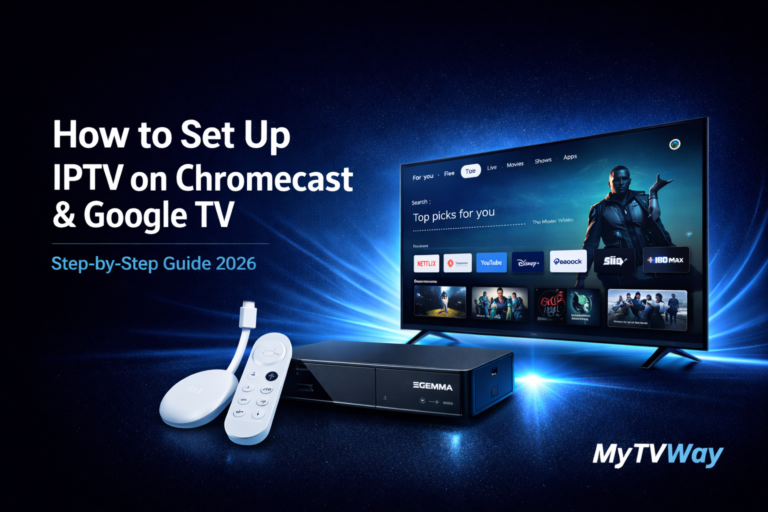
Looking for a simple IPTV Chromecast setup guide? You’ve come to the right place. In this complete tutorial, we’ll show you exactly how to install IPTV on Chromecast and Google TV step by step using TiviMate — no technical knowledge required.
Whether you have a Chromecast with Google TV, Chromecast 4K, Google TV Streamer or any Android TV-powered device, this Chromecast IPTV tutorial will get you streaming in minutes. If you’re using a different device, check our Firestick setup guide, Android setup guide, Windows PC setup guide, Smart TV setup guide, iPhone iPad setup guide, Mac setup guide, MAG Box setup guide or Enigma2 setup guide instead.
IPTV Chromecast Setup – Complete Guide 2026
Setting up IPTV Chromecast is much easier than you think. Our IPTV Chromecast guide works on every Google TV and Chromecast device.
In this complete step-by-step tutorial, we’ll show you exactly how to install and configure your MyTVWay UK IPTV subscription on any Chromecast or Google TV device in just a few minutes using TiviMate IPTV Player.
Choosing the Right IPTV Chromecast App
There are several IPTV Chromecast apps available from the Google Play Store. Here are the best ones for Google TV:
- TiviMate IPTV Player — Our recommended app with stunning UI, advanced EPG, recording and multi-screen support
- IPTV Smarters Pro — Free popular IPTV player with Xtream Codes API support
- XCIPTV — Free lightweight alternative with clean interface
- IBO Player Pro — MAC address activation with M3U and Xtream Codes support
- GSE Smart IPTV — Free player with M3U and JSON playlist support
In this guide we will use TiviMate IPTV Player as it offers the best Chromecast and Google TV experience with a premium interface designed specifically for big screen devices.
If you need help choosing the right app or setting up, contact us via WhatsApp — our team is available 24/7 to assist you for free.
What You Need Before Starting
- A Chromecast with Google TV, Chromecast 4K or Google TV Streamer device
- A stable internet connection (minimum 20 Mbps for HD, 30+ Mbps for 4K)
- An active MyTVWay UK IPTV subscription with your Xtream Codes credentials
- A Google account signed in on your Chromecast device
Supported IPTV Chromecast Devices
Our IPTV Chromecast service works on all Google streaming devices including:
- Chromecast with Google TV (HD) — Full HD streaming with Google TV interface
- Chromecast with Google TV (4K) — 4K Ultra HD with Dolby Vision and HDR support
- Google TV Streamer (4K) — Latest premium streaming device with Matter hub
- Android TV boxes — Xiaomi Mi Box, Nvidia Shield, Mecool and more
- Google TV Smart TVs — Sony, Philips, TCL, Hisense with Google TV built-in
Step-by-Step: IPTV Chromecast Installation Guide
Step 1 — Install TiviMate from Google Play Store
On your Chromecast or Google TV device, navigate to the Google Play Store. Use the search function and type “TiviMate”.
Select TiviMate IPTV Player from the search results and click Install. The app is free to download with a premium version available for advanced features. Once installed, click Open to launch TiviMate.
💡 Pro tip: TiviMate offers a free trial period — you can test all premium features before deciding to upgrade. The basic version is enough to stream MyTVWay channels.
Step 2 — Open TiviMate and Add Playlist
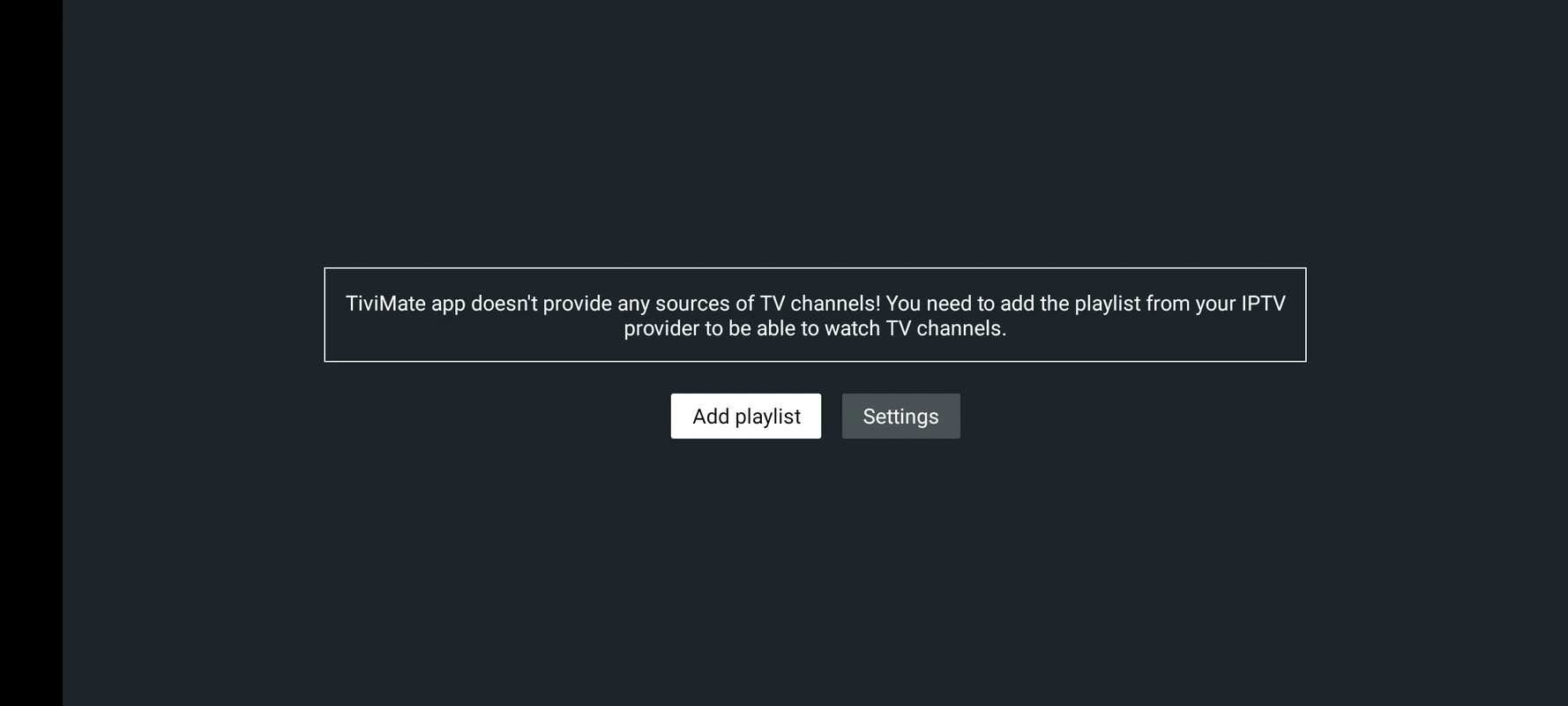
When you first launch TiviMate, you’ll see the welcome screen with the main dashboard. Navigate to Settings and select Add playlist.
Click the Add playlist button to start configuring your MyTVWay subscription.
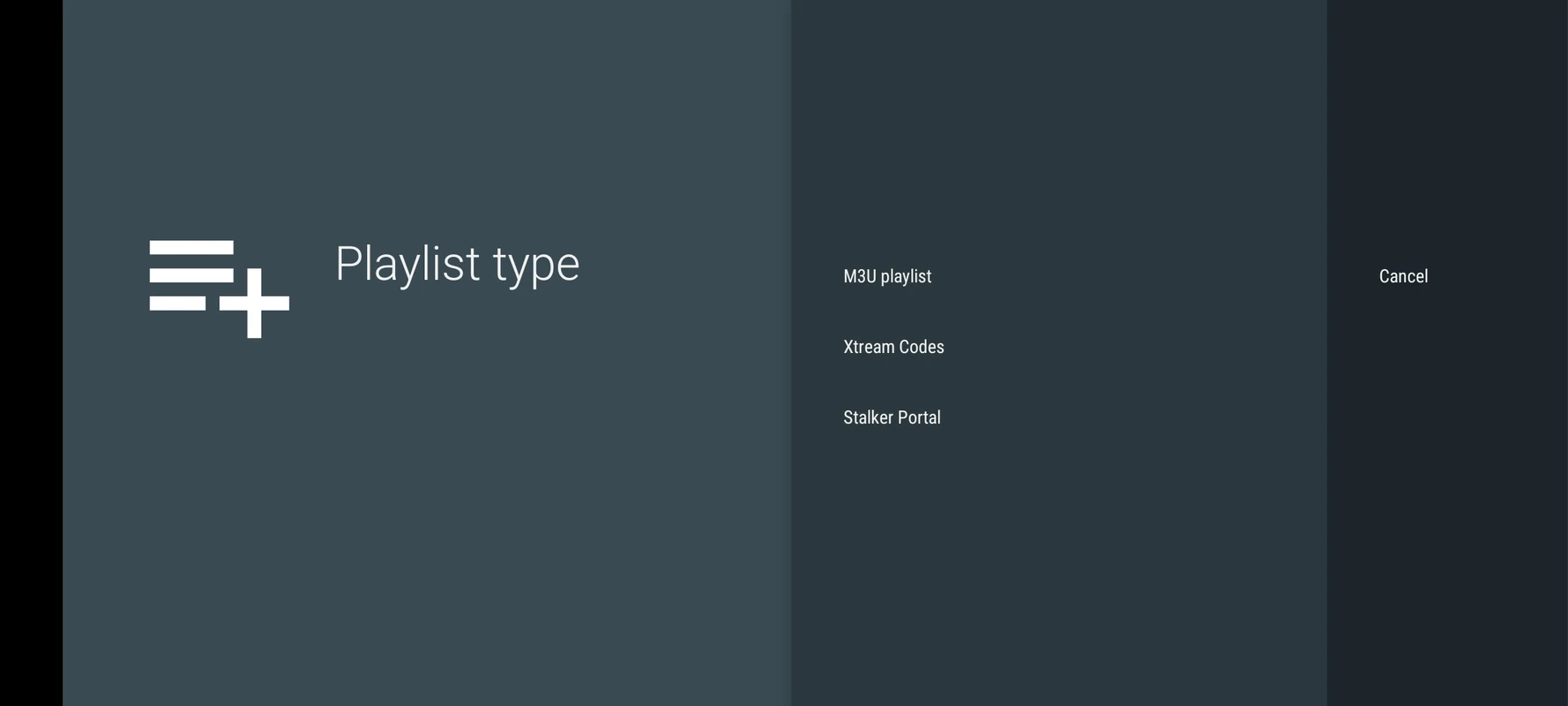
Step 3 — Select Xtream Codes and Enter MyTVWay Credentials
TiviMate will ask you to choose a login method. Select Xtream Codes — this is the easiest and most reliable option for MyTVWay.
Enter your MyTVWay credentials in the form:
- Server URL: Found in your confirmation email or WhatsApp message (starts with http://)
- Username: Found in your confirmation email or WhatsApp message
- Password: Found in your confirmation email or WhatsApp message
Click Next to validate your credentials and load your channels.
⚠️ If you see “Authorization Failed” — double check your inputs. Make sure there are no typos or extra spaces and that your VPN is turned off.
Step 4 — Wait for Playlist to Load
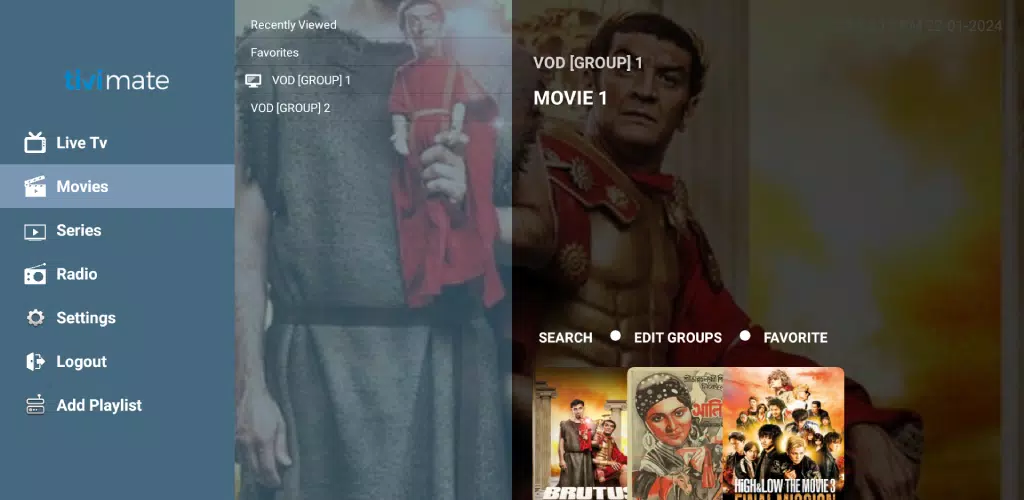
TiviMate will now process your playlist and load all the channels, movies, series and EPG data from the MyTVWay servers. This takes 15-30 seconds depending on your internet speed.
Once loaded, you’ll see the TiviMate main menu with categories for Live TV, Movies, Series, Catch-Up TV and more. Browse through the categories to explore your subscription.
Step 5 — Start Watching Live TV
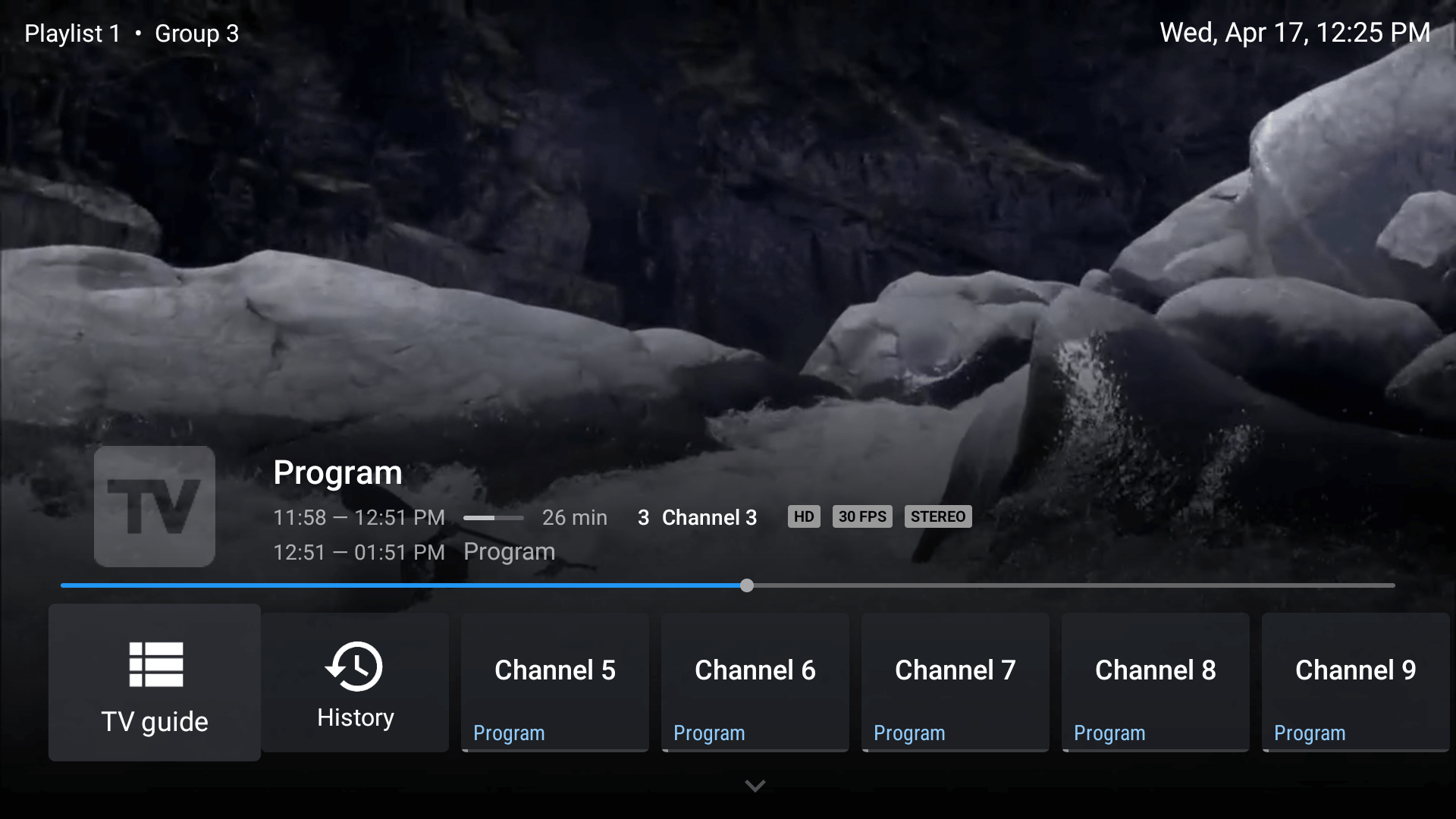
Navigate to Live TV and browse the channel groups — UK Channels, US Channels, Sports, Movies, Kids, News, Music and many more.
Click on any channel to start streaming. TiviMate will display the channel in full screen with the EPG guide visible on the side. Enjoy crystal clear streaming in up to 4K quality on your Chromecast or Google TV!
🎉 Your IPTV Chromecast Setup is Complete!
Congratulations! You have successfully completed your IPTV Chromecast setup. You now have access to 50,000+ live UK channels, 180,000+ movies and series in stunning 4K quality with MyTVWay!
Video Tutorial — IPTV Chromecast Setup with TiviMate
Prefer to watch a video? Here’s a quick visual guide on how to set up TiviMate on Chromecast and Google TV:
Need Help with Setup? We’re Here!
If you encounter any issue during the setup or if you’d prefer to have our team guide you through the IPTV Chromecast installation, simply contact us via WhatsApp. Our 24/7 support team will help you step by step.
We can help you with:
- Installing TiviMate on your Chromecast or Google TV
- Configuring Xtream Codes login credentials
- Setting up EPG, favourites and categories
- Troubleshooting playback and buffering issues
- Optimizing stream quality for your internet speed
- Using alternative apps if TiviMate doesn’t work for you
Don’t hesitate — our team loves helping Chromecast users get streaming fast!
Troubleshooting IPTV Chromecast Issues
Having issues with your IPTV Chromecast setup? Here are the most common problems and solutions:
- TiviMate not found in Play Store — Make sure your Chromecast is signed in with a Google account. Some regions may require changing the account country to access all apps.
- “Authorization Failed” error — Double check your username, password and server URL. Make sure there are no extra spaces and your VPN is off.
- Buffering or freezing — Ensure your internet speed is at least 20 Mbps. Connect to 5GHz WiFi for faster speeds and better stability on Chromecast.
- Channels not loading after setup — Close TiviMate completely and restart your Chromecast. Clear the app cache from Settings then Apps.
- Remote not working in TiviMate — Make sure you’re using the Google TV remote. Some old Chromecast remotes don’t fully support TiviMate navigation.
- Black screen when playing channels — Go to TiviMate Settings then Playback then change the player to ExoPlayer or Native player.
- No EPG showing — EPG loads automatically with Xtream Codes login. If missing, refresh your playlist in TiviMate settings.
Still need help? Contact our 24/7 support team via WhatsApp and we’ll guide you through every step.
Alternative IPTV Apps for Chromecast
While TiviMate is our recommended app, here are other great IPTV Chromecast alternatives from the Google Play Store:
- IPTV Smarters Pro — Free popular IPTV player with Xtream Codes API and multi-screen support.
- XCIPTV — Lightweight free player perfect for older Chromecast devices.
- IBO Player Pro — Modern interface with MAC address activation. Send us your MAC and we’ll activate it.
- GSE Smart IPTV — Free player with M3U and JSON support. Built-in EPG and favourites.
- OTT Navigator — Another popular alternative with rich features and clean UI.
All of these apps work with your MyTVWay UK IPTV subscription. Simply use the same login credentials provided after purchase.
Why Choose MyTVWay for IPTV Chromecast?
MyTVWay is the best UK IPTV service for IPTV Chromecast users. Our subscription gives you access to 50,000+ live channels, 180,000+ movies and series in 4K/8K quality.
Watch your favourite UK channels on any TV with your Chromecast — turn any HDMI TV into a smart streaming device with MyTVWay. With Anti-Freeze technology and 99.99% uptime, you’ll enjoy smooth streaming on Google TV every time.
Our plans start from just £11.99/month with instant activation and a 7-day money back guarantee. Get your MyTVWay IPTV Chromecast subscription today!
Looking for setup guides for other devices? Check our UK IPTV installation guide for instructions on Firestick, Android, Windows PC, Smart TV, iPhone and iPad, Mac, MAG Box, Enigma2 and more.
Ready to Start Streaming UK IPTV?
Get your MyTVWay subscription today — 50,000+ channels, instant activation, 7-day money back guarantee.
Get Your UK IPTV Plan from £11.99